
Analytics & Event Tracking
Turn every interaction in your commerce stack into clean, analytics-ready events with Mercur’s Analytics module. The Analytics module gives you a structured stream of events for key commerce actions - carts, orders, customers, products, and more - so you can plug Mercur into your BI stack, product analytics, or marketing tools without adding tracking on every screen by hand.
How do you manage analytics in Mercur
Instead of sprinkling custom tracking calls across frontends, you rely on a backend event layer that knows what’s happening in your business.
With the Analytics module, you can:
- Emit standardized events for core flows like cart updates, orders, payments, returns, and customer actions.
- Attach rich payloads (order value, currency, items, customer, channel, seller) to each event.
- Forward events to your analytics destinations (e.g., data warehouse, product analytics, marketing tools) via subscribers.
- Use configuration to enable/disable analytics and choose which events to emit.
- Extend the event stream with custom events for your own business logic.
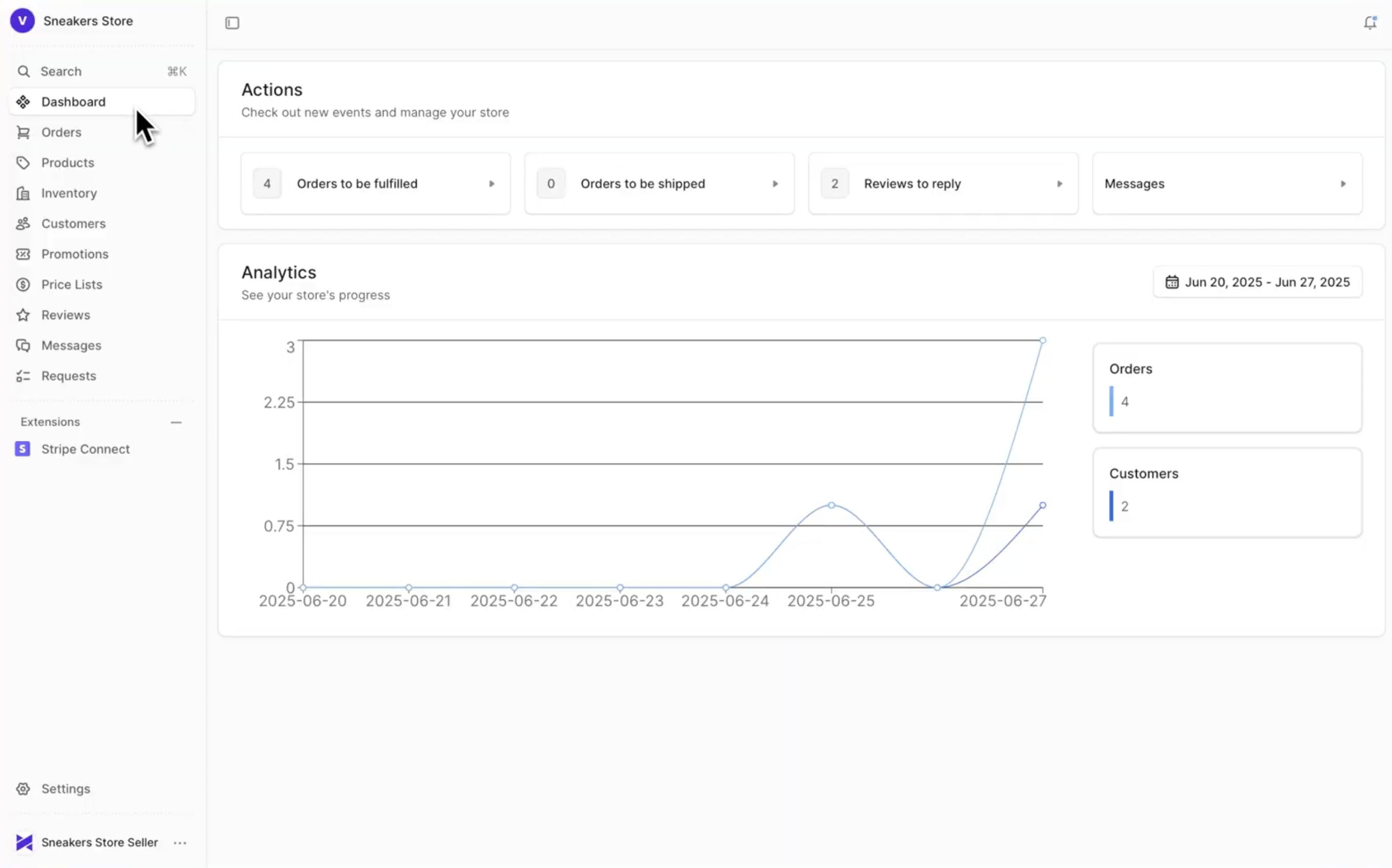
Analytics & Event Tracking
video overview

Build custom marketplace with Mercur
Create your unique multi-vendor platform with our powerful, flexible marketplace solution that adapts to your business needs.
What the Analytics module delivers for your business
One canonical event stream
You get a single, backend-sourced view of what customers and sellers are doing, instead of inconsistent tracking across frontends.
Analytics-ready commerce data
Events carry all the important fields (totals, currencies, IDs, relationships) you need to build dashboards around revenue, funnels, and retention.
Easier integration with BI & product analytics tools
Subscribers can forward events to tools of your choice - without coupling your business logic to any specific vendor.
Full marketplace visibility
Because events know about sellers, channels, and regions, you can slice KPIs by vendor, storefront, or market.
Core capabilities
1. Standard commerce events
The module emits structured events for key moments in the customer and order lifecycle, for example:
- Cart events - cart created/updated, item added/removed, cart completed.
- Order events - order placed, paid, fulfilled, cancelled, refunded.
- Customer events - customer created, logged in, updated.
- Product & catalog events - product published/unpublished, inventory updates (optional).
Each event includes identifiers (IDs), monetary values, and context (channel, region, customer), so your analytics tools don’t have to guess.
2. Event payloads & context
Events are designed to be useful out of the box:
- Monetary data - order total, subtotal, discounts, tax, currency.
- Commerce context - region, sales channel, payment status, fulfillment status.
- Customer context - customer ID, email (if allowed), new vs returning flag.
- Marketplace context - seller/vendor IDs for multi-vendor orders.
You can enrich events further using metadata if you need additional fields for your BI models.
3. Subscribers and destinations
Analytics is built around a publish/subscribe pattern:
- The core of Mercur emits domain events.
- Analytics subscribers listen to these events and transform them into analytics events.
- You can forward them to:
- a message queue or stream (e.g., for your data warehouse),
- HTTP endpoints for analytics services,
- internal logging/monitoring tools.
- a message queue or stream (e.g., for your data warehouse),
You stay in control of where data goes, while Mercur handles the event semantics.
4. Configuration & control
You decide how noisy or detailed your event stream should be:
- Turn analytics on/off in configuration.
- Choose which event types to emit (e.g. focus only on orders & revenue, or also include cart events).
- Configure destination(s) and credentials in environment or project config.
This lets you start simple and grow the setup as your analytics maturity increases.
5. Extensibility & custom events
Add your own signals on top of the defaults:
- Emit custom events for business-specific flows (e.g., subscription renewals, special workflows, internal approvals).
- Use the same event bus and analytics subscribers so custom events end up in the same pipelines as core commerce events.
Keep your custom analytics cleanly separated from application logic.

Build custom marketplace with Mercur
Schedule a guided tour of Mercur Marketplace tailored to your specific marketplace requirements. Connect with our team to discuss how we can help bring your marketplace vision to life.